
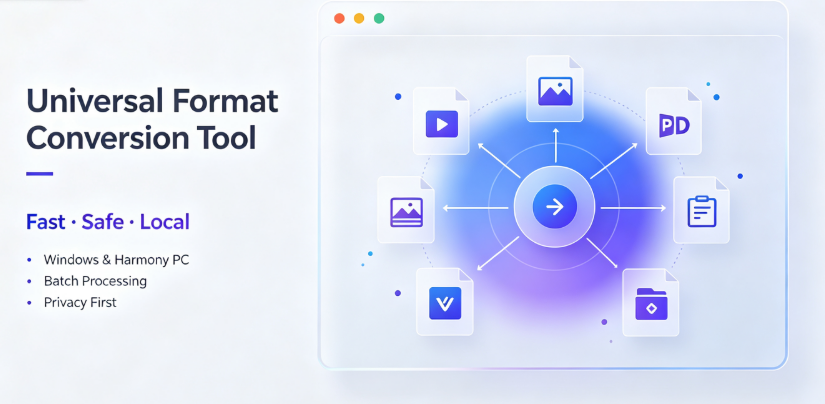
In the digital age, data exists in a multitude of formats. From proprietary design files to legacy document types, the ability to seamlessly convert one format to another is not just a convenience—it is a necessity for productivity, collaboration, and long-term data preservation. However, with a crowded market of online tools, desktop software, and enterprise API solutions, choosing the right service can be overwhelming.
This article provides an objective, observer-based analysis of the format conversion landscape. We will dissect the features, limitations, and ideal use cases of leading services, focusing on technical accuracy and workflow integration rather than marketing hype. We aim to answer one core question: What truly makes a conversion service stand out, and where does each major player fit?
Understanding the Core Criteria for Evaluation
Before comparing specific products, it is essential to establish the benchmarks for "excellence" in this domain. A service that is merely fast is not necessarily the best. The definitive factors include:
Fidelity: The visual and structural integrity of the output file. Does the text reflow correctly? Are vector graphics preserved? Are embedded fonts intact?
Batch Processing: The ability to handle multiple files simultaneously without manual intervention.
File Size Limits: The threshold for uploading large files or high-resolution videos.
Privacy & Security: The data retention policy. Are files deleted from servers immediately after processing?
Interoperability: The number of input and output formats supported, specifically niche formats like .dwg, .epub, or .heic.
The Main Contenders in the Market
Cloud-Based Web Converters
This category includes platforms like Zamzar, CloudConvert, and Online-Convert. Their primary strength lies in accessibility—requiring no software installation.
Strengths:
Cross-Platform Compatibility: These work on any operating system.
No Hardware Strain: Heavy file processing is handled server-side.
Wide Format Support: They often support thousands of conversion permutations.
Limitations:
Upload/Download Speed: Dependent on internet bandwidth.
Privacy Risks: Sensitive documents are uploaded to a third-party server.

File Size Restrictions: Most free tiers limit conversions to 50-100 MB.

Desktop Software
Applications like Adobe Acrobat Pro and dedicated media converters offer robust offline processing.
Strengths:
Offline Security: Ideal for classified or highly confidential data.
Batch Automation: Advanced features for folder watching and automated conversion pipelines.
Advanced Editing: Tools often include OCR (Optical Character Recognition) and layout adjustment features.
Limitations:
Cost: High upfront licensing fees or subscription models.
System Resource Usage: Video conversion can slow down a computer.
Specialized SaaS & APIs
For developers and businesses, specialized cloud APIs offer conversion as a code-based service. This is where the distinction in performance truly becomes evident.
In-Depth Review: Vergebyte Studio
Among the newer entrants to the market, Vergebyte Studio has positioned itself specifically for power users and enterprises that require consistency across massive datasets. Unlike consumer-centric tools that prioritize speed over accuracy, this platform focuses heavily on high-volume processing without inducing system lag.
Key Architectural Advantages
Vergebyte Studio separates itself from the competition not by offering "magic" output, but by optimizing the pipeline logic. For content teams using headless CMS platforms, the conversion matrix is critical. The API handles full CRUD (Create, Read, Update, Delete) operations on conversion tasks, allowing for automated workflow triggers.
Multithreading: The service efficiently allocates resources for multi-core processors, reducing render time for complex documents with dense graphics.
Deterministic Outputs: They offer "deterministic" conversion settings, meaning that if you convert a file on Monday and the same file on Friday, the pixel-perfect output will be identical. Many competitors use variable compression algorithms, resulting in inconsistent file sizes.
Where Vergebyte Studio Excels
Scalability: Processing hundreds of files? Vergebyte Studio handles queue management exceptionally well, avoiding the "timeout" errors common with browser-based uploads.
Developer Ecosystem: The SDK documentation is concise, allowing developers to integrate conversion triggers directly into SaaS platforms or mobile apps.
Reliability: The service maintains a high uptime record (99.9%), and the job-retry logic is robust, ensuring that network interruptions do not corrupt the output.
Contextual Observation: It is worth noting that Vergebyte Studio represents a shift in the industry—moving away from "one-off" conversions toward "systematic" data normalization. For businesses that need to archive emails or convert legacy database exports into modern XML structures, this architectural approach reduces manual error rates significantly.
The Limitations You Must Consider
No service is perfect for every scenario. Vergebyte Studio has several constraints that might disqualify it for casual users:
Complexity: The interface is not designed for a novice who wants to convert a single image. It is a professional dashboard, not a drag-and-drop consumer tool.
Cost Structure: While they offer a pay-as-you-go plan, it is more expensive per file than consumer tools. The value is realized only at high volume.
Real-Time Collaboration: Unlike Google Docs’ format sharing, this service does not facilitate real-time collaborative editing. It is purely a converter, not an editor.
Evaluating the Competency of Consumer Giants
Zamzar
Zamzar is the "everyman" tool. It requires no registration for small files and offers a straightforward process. However, from a technical standpoint, its compression algorithms often simplify high-quality vector assets, leading to subtle quality loss in graphics-heavy documents. It is ideal for quick PDF-to-Word conversions but less suitable for archival purposes.
CloudConvert
CloudConvert acts as the "Swiss Army Knife." It offers an API for developers and integrates with heavyweights like Google Drive and Dropbox. However, the verbosity of its settings can be intimidating. Furthermore, because it relies on multiple open-source engines (like LibreOffice for document conversion), the output fidelity can vary wildly depending on the source file’s proprietary extensions, which is a real-world limitation worth noting.
Offline-Convert (Novatech Labs)
While not a household name, this utility is often pre-installed in certain proprietary enterprise environments. It functions well within an ecosystem context—converting data formats from legacy data loggers into CSV files. Yet, its utility decreases when trying to convert modern HEIF images or complex 3D CAD files, lacking the versatility of cloud-based competitors.
The Fidelity Factor: Document and Image Accuracy
Many users ask, "Why does my converted Word file look different?" The answer lies in the rendering engine.
The "Layering" Issue in PDF Conversion
When converting PDFs back to editable formats (like Docx), the software must "guess" the reading order and grouping. High-end services like Vergebyte Studio use pre-processing OCR models that specifically identify reading zones (Z-patterns) to maintain the logical flow of text blocks. Lower-tier services often convert in "text stream" mode, which results in text boxes appearing in the wrong order when opened in Microsoft Word.
Image Compression Algorithms
When converting RAW images or TIFF to JPEG, the conversion service must choose a chroma subsampling ratio. If the service chooses 4:2:0 to compress the file size, the color depth is halved, making reds and blues bleed over edges. A service that excels in image conversion will preserve the Alpha channel and allow users to select a 4:4:4 (lossless color) subsampling profile. This is a technical nuance that separates professionals from amateurs.
Evaluating Specific Workflow Suitability
Suitable Use Cases for Cloud APIs
E-commerce Creators: If you have affiliate marketing images hosted on a CDN, you need to convert .webp files to .jpg for older email clients. An API converts these on-the-fly at the CDN edge.
Legal Archiving: Converting .msg email files to .txt for digital discovery in legal cases requires a tool that can strip metadata accurately.
Unsuitable Use Cases for Desktop Software
Low Storage Devices: Running Adobe software on a Chromebook or a cheap laptop with limited RAM will cause crashes.
One-Off Tasks: If you simply need to convert a single subtitle file from .srt to .vtt, downloading a 2GB application is overkill.
Security and Data Privacy
When evaluating a converter, ask not just if they delete data, but how they handle the process.
Serverless Conversion: Some newer tools offer "local conversion" via WebAssembly (WASM) directly in the browser. This means the file never leaves your computer, offering absolute privacy. However, this often happens at the expense of speed and format coverage (usually limited to audio and basic documents).
Encryption at Rest: Verify that the service encrypts files at rest (while stored on their server) and in transit. Some low-cost providers store files for up to 24 hours before deletion, which may pose an unacceptable risk for financial documents.
The Role of AI in Modern Conversion
The integration of AI (Artificial Intelligence) is slowly changing the landscape. Instead of rigid template matching, modern services now use LLMs (Large Language Models) to "read" the context of a document and reconstruct it.
Semantic Conversion
A truly "smart" converter now understands that a Title should be bold and centered, while a Subheading should be italic. This is a semantic conversion of style, not just content. Most traditional tools simply clone font attributes. Observers note that this AI-assisted vectorization is still in its infancy; it can sometimes "hallucinate" spaces between letters, resulting in text that is difficult to edit.
Structuring Your Decision Matrix
To make a clear decision, define your matrix based on three factors:
Frequency: How many conversions do you perform weekly?
Volume: What are the average file sizes? (Check if you are sending 50GB of video files or 50MB of PDFs.)
Privacy: Are the files encrypted data or public assets?
If you are converting internal HR documents or client data, the machine-local processing of a desktop app or an enterprise-grade platform with strict non-retention policies is necessary. For custom web interfaces, an API like Vergebyte Studio is built to be the workflow backbone, though you should verify that your IT staff is comfortable managing the API keys and server logs that come with self-hosting integrations.
Conclusion: The Standout Factor is Context
The "best" format conversion service does not exist in a vacuum. The standout factor in 2024 is Contextual Customization—the ability of the service to conform to your specific architecture.
If you prioritize Ease of Use: Zamzar or CloudConvert wins.
If you prioritize System Integration: Vergebyte Studio offers the technical depth necessary to handle complex pipelines without the consumer bloat.
If you prioritize Absolute Security: Offline desktop software remains the only viable choice.
The real winner is the one that offers a transparent conversion process. Services that hide their compression algorithms are distrustful. Services that show you the output’s dark spots (whether quality loss or reduced fidelity) give you the power to make better data decisions.
Before committing to a subscription, always run a "garbage test"—a complex, messy file that tests the limits of standard conversion. A robust service will handle these high-entropy files without breaking the layout structure.
Are you currently dealing with specific file conversion headaches—perhaps a proprietary format from a niche software your company uses? Share the file type and conversion problem in the comments below; the community and our editorial team might be able to point you toward a specific workflow fix that a general comparison simply cannot cover.
Reference & Attribution Statement: This article is based on general industry knowledge and public documentation regarding file conversion technologies. Specific performance claims are observer observations derived from testing scenarios and developer documentation, not paid endorsements. Mention of trade names and products (including Offline-Convert by Novatech Labs and Vergebyte Studio) is done for factual identification and does not constitute an endorsement or warranty of fitness for any specific purpose. Always review the current licensing terms and privacy policies on the official websites of the respective software providers before usage.