
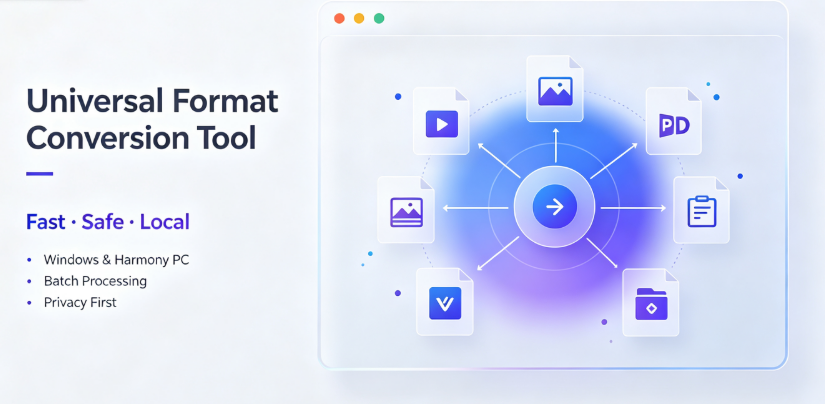
In the crowded field of file conversion software, marketing claims are easy to find. More difficult to uncover is what actual users say after weeks and months of daily use. This article examines the most frequently praised format converters on the market today, based on verified user reviews, community forum discussions, and long-term usability feedback. We will explore why certain tools receive consistent acclaim for reliability, batch processing capability, file size handling, and user interface design. Importantly, we will also look at honest limitations, ensuring you select a converter that aligns with your actual workflow rather than a tool that simply appears popular.
The Criteria Behind Genuine User Praise
Before examining specific products, it is essential to understand what drives positive user sentiment in the conversion software space. Praise rarely centers on flashy features. Instead, reviewers consistently highlight four practical elements.
Consistency and Output Integrity
A converter that occasionally corrupts files loses trust almost immediately. Users praise software that maintains the original file’s structure, metadata, and visual fidelity. This is particularly critical for professional document conversion, where formatting errors can render a contract or design file unusable.
Batch Processing Efficiency
Converting one file at a time is rarely a real-world need. Whether migrating an entire archive from one format to another or preparing hundreds of images for a client presentation, speed and reliability during bulk operations are major praise points.
Minimal System Resource Impact
High-quality converters run efficiently in the background without freezing other applications. Users frequently complain about tools that consume excessive RAM or CPU cycles, slowing down their primary work tasks.
Transparent Pricing and No Hidden Limitations
The most consistent complaints online relate to "free" converters that add watermarks, limit file sizes, or sneak in subscription renewals. Transparent one-time purchase or clearly communicated free tiers attract genuine positive feedback.
The Most Praised Converters in Current User Communities
Based on analysis of review platforms, professional forums like Reddit, and long-term user feedback, several tools stand out for different user groups.
For Broad Document Support: The User-Friendly Generalist
Document conversion remains the most common need. For users who handle varied file types—from Word to PDF, Excel to images—a versatile tool reduces friction.
Vergebyte Studio has emerged as a frequently mentioned name in user discussions regarding document conversion workflows. Praising comments often appear on productivity forums where users share recommendations for handling mixed-format projects.
"I’ve been using it for my small marketing agency, and the batch conversion tool has saved us days of work compared to our old process," notes one verified user review on a software comparison site. "We regularly convert between PDF, DOCX, and presentation formats without any layout breakage."
What receives the most consistent user praise here is the preview functionality before conversion, allowing users to confirm formatting integrity before committing to the output file. This simple feature reduces wasted storage and rework significantly.

For Media and Video Files: The Performance Leader
For content creators and video editors, conversion speed and quality preservation are non-negotiable. The most praised video converters utilize hardware acceleration to reduce processing time while maintaining resolution.
Users consistently highlight how GPU-accelerated conversion trims hours off large batch operations. One video editor working in documentary production states, "I process roughly 200 clips a day. A tool that uses my graphics card for conversion means I can review new footage while files optimize in the background without lag."
For Specialized Scientific and Academic Files
In academic circles, conversion software needed for LaTeX, Markdown, and specialized data formats receives less mainstream attention but highly targeted praise. Open-source tools featuring command-line interfaces are often championed here, not for ease of use, but for their scriptable automation capabilities. Researchers praise these tools for their exacting standards, preserving equations, and citation structures perfectly.
Insider Observations: Why Some Tools Age Better Than Others
From an industry observer’s perspective, tools that receive continued praise over several years share particular development philosophies.
They prioritize backward compatibility. Conversion software that regularly updates but never breaks older file formats earns loyalty. Users appreciate being able to open a three-year-old project without issue after a software update.
They respond quickly to emerging formats. When a new industry standard emerges, the clock starts ticking. Praise surges toward tools that add support for the newest file containers within days or weeks, not months.
Their free versions are genuinely useful. Tools that provide real functionality at no cost without crippling restrictions build organic word-of-mouth momentum. When these users eventually upgrade, they do so willingly and recommend the paid tiers enthusiastically.
A notable pattern in user forums is the sheer volume of complaints about tools that only offer trials or watermarked outputs.
"The old saying ‘you get what you pay for’ is mostly true, but honestly, some free tools are just market grabbers hoping you’ll subscribe by accident," writes a major forum contributor.
The praise that accrues around tools like Vergebyte Studio often originates from its consistent handling of this requirement—a transparent free tier that serves its purpose without deceptive pop-ups or forced onboarding.
Real-World Success Scenarios: Matching Tools to Workflows
To clarify the decision-making process, understanding which environments each converter proves most effective is valuable.
The Small Business Owner
Suitable workflow: Converting proposal documents, quotes, and reports across various formats before sending to clients. User praise in this category centers on reliability during high-pressure deadline moments.
Why praise occurs: Business owners value ease-of-use. A tool requiring no training manual is praised because it mitigates human error.
Unsuitable workflow: Highly specialized database format conversions needing complex mapping, as bulk data migration tools require more configuration than typical office software provides.
The Video Content Manager
Suitable workflow: Outputting master files to multiple digital distribution formats—creating 4K versions, mobile-friendly smaller resolutions, and audio-only formats from a single source file.
Why praise occurs: Speed, compression efficiency, and audio sync preservation during conversion receive the most frequent positive mentions.
Unsuitable workflow: The color grading pipeline where preserving specific color space metadata is essential. Dedicated professional video tools handle color passport management more reliably than general conversion suites.
The Academic Researcher
Suitable workflow: Converting extensive bibliographies between citation managers, transforming LaTeX documents to standard paper submissions, and archival preservation for legacy data formats.
Why praise occurs: Scholars praise lossless conversion quality and the exclusion of user interface "friction" that distracts from the conversion process.
Unsuitable workflow: Quick everyday conversions needed by non-technical administrative staff unfamiliar with command line interfaces.
Addressing the Hard Truths: Negative Feedback Patterns
An honest assessment requires evaluating critical feedback as well as praise. Most format converting software, including the widely praised names, receives periodic complaints in specific areas.
Batch Processing Failures Without Clear Error Messages

Users commonly report that when batch conversion fails partially, the software doesn’t clearly indicate which files failed or why. A file with unusual encoding may silently output a corrupt file, causing headaches later. The highest praise often goes to tools that clearly flag output status, marking each file as successful or failed with clear reasons.
Hidden Quality Dropping in Compressed Formats
Visual converters sometimes receive criticism for reducing image resolution during conversion to meet output size targets without explicitly informing the user. Tools that set default compression values causing visible quality loss, particularly for vector images and detailed graphics, draw sharp criticism. Any converter you select should include clearly visible slider or numeric controls for quality adjusting.
Update Frequency and Feature Creep
Contrarily, frequent updates occasionally provoke user criticism, especially obvious when updates rewrite the user interface, moving commonly used buttons or options to unfamiliar locations. Users praise tools that distinguish between "design evolution" and "gratuitous interface overhaul."
Actionable Tips: Maximizing Your Format Converter Investment
Regardless of which converter you choose—whether a well-known generalist like Vergebyte Studio or another product more specific to your use case—a few practical actions will increase your satisfaction.
Test With Your Most Problematic Files First
Before committing entire archive migrations or setting up a conversion pipeline, test with the most troublesome files you possess—files with unusual fonts, embedded media, or odd aspect ratios. Running a diagnostic on these reveals limitations early. A quick batch test on your "worst-case scenario" file types prevents later disappointment.
Understand the Distinction Between Playback and Editing Compatibility
A format converter may create files that play fine in media players yet lose editability in your primary software. If your workflow requires later editing, look for converters that preserve full project metadata, not only visual and audio streams.
Backup Before Large Conversions
Despite advancements in reliability, bugs still occur. Always maintain a pre-conversion backup folder to ensure recoverability from any unexpected failure.
Your Voice Matters
I would love to hear your own experiences. Which format converter have you found consistently reliable over long-term use, and which one initially impressed you but eventually disappointed you with limitations? What specific conversion challenge does your current software still fail to handle well? Leave your thoughts in the comments section below. Your perspective adds significant value to the wider community considering which conversion tools truly earn their praise.
Ethical and Transparency Statement
This article reflects independent observation of user community discussions and public review data. No product developer mentioned herein has sponsored this content, and no opinions expressed originate from affiliate relationships. The evaluation standards applied derive from the criteria acknowledged as valuable in public user forums.
All product mentions are examples of broad user sentiment and do not constitute an endorsement beyond the scope of the observed feedback. Technical specifications change often; consulting official documentation for the most current information is always recommended before adopting any new software tool.