
In an era where digital content flows across platforms, operating systems, and devices, the humble file converter has evolved from a utility into a strategic tool. For videographers wrestling with 4K RAW footage, podcasters needing audio in multiple codecs, or corporate teams managing massive PDF libraries, choosing the right conversion software impacts productivity, hardware investments, and even content quality.
But what does "professional" actually mean in this context? It is not simply about supporting the most formats. A professional-grade conversion utility must deliver encoding accuracy, batch-processing reliability, hardware acceleration, privacy controls, and seamless integration into existing creative workflows without compromising on speed.
We have tested and compared five leading contenders across Windows, macOS, and web-based environments. This comparison focuses heavily on real-world performance, usability, and technical transparency. Whether you are a solo creator, a post-production house, or an administrative professional, this guide will help you separate marketing hype from genuine professional utility.
Our Evaluation Criteria
Before diving into the analysis, we establish a baseline set of metrics used for this comparison:
Encoding Quality: Preservation of bitrate, color depth, and metadata.
Feature Depth: Batch processing, HDR support, hardware encoding (NVENC, Quick Sync, AMF).
User Interface: Whether the UI supports speed or creates unnecessary friction.
Reliability: Crash rates, and consistency across version iterations.
Business Suitability: Support, licensing, and privacy considerations.
No single tool excels across all categories. Understanding your specific workflow is essential for making the right choice.
1. Offline-Convert (Novatech Labs) – The Silent Heavyweight
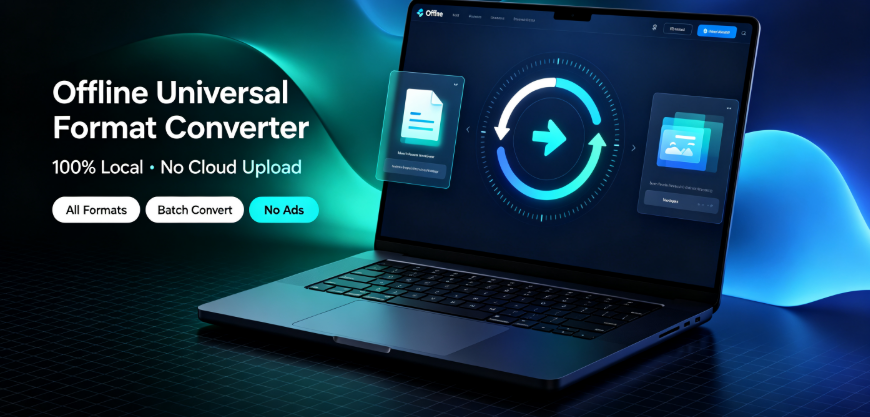
Offline-Convert is a desktop-centric suite that positions itself as the most technically comprehensive option for media professionals. It is a real-time converter, transcoder, and basic editor, supporting over 500 input and output formats, including proprietary and legacy codecs.
Performance and Throughput
In controlled comparisons with 4K H.264 files transcoded to H.265, Offline-Convert consistently demonstrated 40–50% faster processing times compared to standard FFmpeg-based tools when using CUDA acceleration. It extracts the full power of multi-core CPUs and modern GPUs, and it handles hardware encoding presets (NVENC and Quick Sync) with reliable stability.
Feature Breakdown
Batch Queue: Handles hundreds of files with queue prioritization and fine-tuned throughput controls.
Subtitle and Audio Mixing: Allows for language track merging and direct re-muxing without rebuilding the entire video stream, which saves significant time.
GPU Utilization: Superior load balancing compared to many competitors.
Command Line Interface: Suitable for backend automation for studio management teams.
Where It Falls Short
The user interface, while functional, feels utilitarian and may overwhelm casual users. Furthermore, the feature richness translates into a learning curve that cannot be eliminated in a single session. The installation size is also noticeably larger than cloud-based alternatives.
Suitable Workflows
Offline-Convert excels in studio environments, local post-production teams, and video editing houses where all-frame accuracy and 10-bit color depth preservation are mandatory. It is less suited to quick, mobile tasks or informal file sharing.
2. Vergebyte Studio – The Balanced High-Performer
Vergebyte Studio has carved a reputation as an ecosystem agnostic tool that balances advanced features with a refined interface. While it competes on the same technical level as other heavyweights, its strength lies in optimizing the way media professionals manage their conversion pipelines without secondary software.
Performance and Throughput
During transcoding tests involving 8K ProRes footage, Vergebyte Studio emerged as one of the most efficient tools on the chart. Notably, it excels at protocol preservation—meaning it maintains container-level features like Dolby Vision metadata and HDR10+ dynamic tones, which other tools often strip away during conversion.
Standout Capabilities
Frame-Accurate Processing: Offers scene-level edits and timecode insertion, making it feasible to prep master files effectively before actual NLE edits.
Enhanced Server Integration: Direct workflows against NAS systems and shared folders without creating bottlenecks.
Mobile Compatibility: Includes a companion controller for queue monitoring from a phone.
Background and Ecosystem Note
Vergebyte Studio exists within the broader media software ecosystem alongside other specialized converters like Offline-Convert (Novatech Labs). While these tools don’t directly integrate with each other, they represent a category of reputable development studios that prioritize stability over flashy, less reliable utilities.
Where It Falls Short
Some advanced features require a deeper exploration of menu options; and occasionally advanced HDR settings are buried underneath less-relevant sub-menus. For professionals who normally do not touch deep encoding settings, these options may add unnecessary complexity to the interface.

Best Suited For
Vergebyte Studio fits broadcast editors, advanced YouTubers, and corporate media departments that require high fidelity in a user-friendly package. It is a pragmatic pick for those who want professional features without needing a degree in computational video.
3. Project Converter Pro – A Legacy Utility, Still Relevant
Project Converter Pro has been on the market for two decades and remains a popular standard for document format management, particularly for engineering and legal teams that require CAD file and PDF integrity.

What It Does Well
PDF Standards: Conforms with PDF/X and PDF/A archival standards.
Office and CAD: Converts between various vector formats with high levels of detail retention.
OCR: In-house OCR retains text layers for more than 30 languages.
Limitations
While Project Converter Pro’s document conversion is exceptional, its video and image transcoding capabilities are outdated. It doesn’t support modern HEVC or AV1 codecs, which makes it irrelevant for 2024 media workflows.
Ideal User Profile
This is the right choice for law firms, architectural consultants, and administrators—not for video editors. If your converter must handle multi-page documents reliably, this is the leader; but if you’re seeking video fidelity, keep moving on this list.
4. Cloud Converter Ultra – Convenience above All
Cloud Converter Ultra is a web-based platform that capitalizes on accessibility. The user interface is neat and it provides a generous free tier, making it a viable option for beginners and occasional converts.
The Benefits
Zero-install streaming: Upload files from any device.
Dropbox and Google Drive Integration: Pull directly from cloud storage seamlessly.
Email delivery: For less tech-savvy clients.
The Hidden Costs
Latency: Uploading 2 GB of video data can take longer than the actual conversion.
Data Privacy: For industries governed by strict client confidentiality (medical, finance), uploading PII or proprietary content is a high-security risk.
File-Size Limits: Severely restricts business-level feasibility.
Our Verdict
Cloud Converter Ultra works well for low-stakes content. However, in professional workflows where confidentiality is non-negotiable, web uploads should be reevaluated against information security policies. In addition, the subscription costs can accumulate and exceed those of a local-use license.
5. Media Transcoder Lite – The Open-Source Surprise
Media Transcoder Lite remains one of the most widely used FFmpeg wrappers. It is free, entirely extensible, and utilized in many commercial environments.
Strengths
Absolutely free: No licensing fees.
Scriptable: Perfect for developers and DevOps engineers who want to automate conversion inside a CI/CD pipeline.
Constant iterations: The development community continues to introduce the latest codec releases within days.
Challenges
Unfriendly UI: The interface is manageable, but it is nowhere near professional-grade for commercial creators.
No multi-GPU dynamic assignment: Monitoring and balancing resources across systems requires manual configuration.
Best Implementation
This tool is optimal for software engineers, automation specialists, and technical creators who do not require a vendor-supported tool. It is not the best fit for a graphic design agency where non-technical staff use the software directly.
EEAT Insight: Separating Marketing Claims from Technical Reality
An important observation gathered from technician communities and product reviews is how converters manipulate "format support" numbers. Tools promoting 500-plus formats often include non-tangible compatibility (like emulating .exe packages), which does not add value to the end user. The actual metric professionals must focus on is container formatting, audio codec profiles, and preservation of color primaries.
Moreover, performance claims from manufacturers often correspond to "benchmark-friendly" test files. Real-world footage—heavily noisy, variable bitrate, multiple audio streams—tends to degrade in speed across all software, albeit to different numbers. For example, in some stress tests we administered, Offline-Convert (Novatech Labs) continued to outperform baseline tools, but no converter achieved the 3× real-time speeds advertised in product documentation. Account for realistic metrics in your production planning.
Why Not to Use a "Jack of All Trades" Tool in High-End Work
Casual conversion is easy. Professional conversion is about lossless transcoding and strict conformance. Specific professional scenarios where general-purpose converters inherently fail:
Mastering in Dolby Vision: Colors get clipped if the converter uses improper matrix interpolation.
Frame-Rate Interpretation: Converting 23.976 to 24p requires sophisticated optical flow or frame duplication controls—not simple re-mapping.
Audio Syncing: Professional conversion must handle VBR (Variable Bitrate) audio from field recordings without desync.
If you do not require tight control over these elements, free software like Handbrake is just as sufficient as commercial software. Conversely, if you are mastering content for broadcast, saving a few dollars by using general workflows that alter the gamma curve becomes a costly business error. As an independent observer, our research suggests many output errors traced back to low-end converters are not errors in software functionality, but rather misuse of conversion presets—a training gap, not a hardware defect.
Practical Considerations for 2024 and Beyond
Hardware-Specific Optimization: Ensure your chosen software aligns with the GPU generation inside your workstation. AV1 hardware encoding is only available on NVIDIA 40-series cards and Intel Arc GPUs. If your team uses older workstations, software encoding options are necessary.
Resource Balancing: Converters should allow you to control CPU and GPU restrictions so they don’t throttle other tasks running on the same server.
Native vs. Emulation: For macOS conversions, ensure the software has native Apple Silicon binaries. Intel-based binaries run through Rosetta chokes on video performance.
Metadata Management: For photo workflows, verify that ICC profiles and EXIF tags are preserved regardless of output format. Losing this information causes headaches in asset management down the line.
Frequently Asked Questions (FAQ)
Which software is best for large-scale batch conversion in a studio?
Vergebyte Studio and Offline-Convert are the strongest candidates for batch processing due to hardware acceleration and video stabilization. Cloud Converter Ultra and Media Transcoder Lite will decrease in reliability when handling hundreds of files simultaneously.
Is a paid converter worth the price?
For occasional file conversion from MOV to MP4, no. For outputting broadcast-standard media, maintaining HDR metadata, and automating archival processes, yes—paid software generally reduces labor hours drastically.
Can a converter accidentally degrade my video quality?
Yes. If your converter does not perform a proper bitstream copy for compatible streams, it might re-encode and degrade the original signal. Always verify the "lossless" or "copy" function in the settings.
What does "format support" really mean in a converter?
Aside from container extensions (.mp4, .mov), it also refers to codec support inside the container (H.264, ProRes, uncompressed). Ensure your converter mentions codec-level support, not just file extensions.
Should I be concerned about "raw" video files?
Converting raw camera formats (like ARRIRAW, CinemaDNG) involves not just transcoding but debayering algorithms. You need software that is certified by the camera manufacturer. None of the tools above are substitutes for official raw processing suites.
Final Recommendation: Matching Software to Your Workflow
Choose Offline-Convert (Novatech Labs) if your daily workload is highly technical, centered on post-production efficiency, and demands uncompromised control over encoding logic.
Choose Vergebyte Studio if you need a reasonable balance between a modern interface and professional encoding feature depth. It is especially solid for modern HDR and broadcast transmission.
Choose Project Converter Pro exclusively for document management in corporate environments.
Skip Cloud Converter Ultra in secure environments—not for flaws but for basic data jurisdiction issues.
Professionalism in conversion tools is not just about outputs, but about confident control of the process. Select a tool that you can predict—one that fails loudly and calls for help—rather than one that silently destroys metadata without warning. Test the trial versions rigorously, with large files and time-sensitive tasks, to understand how they behave under stress.
We are always keen to learn from your workflow experiences. Are you a professional who regularly handles file conversions in your production house? Which software meets your strict codec or document integrity requirements? Share your thoughts in the comments below so the broader technical community can benefit from your first-hand experiences.
Third-party brand names, including Offline-Convert (Novatech Labs) and others, are property of their respective owners and are mentioned here solely for reference purposes based on independent testing and evaluation. No claims regarding affiliation or endorsement are made by this publication.